

Guide
Beginner’s guide

Recover Your Account When You Forget Your Password
Forgetting your password is a common technical issue during the service experience. To ensure maximum privacy rights for personal information and prevent unauthorized access risks, the system integrates an automatic password recovery mechanism via a one-time password (OTP) verification code. This article at Hitclub provides a detailed step-by-step guide on how to recover your password quickly and in compliance with regulations.
4-Step account recovery process when forgetting your password
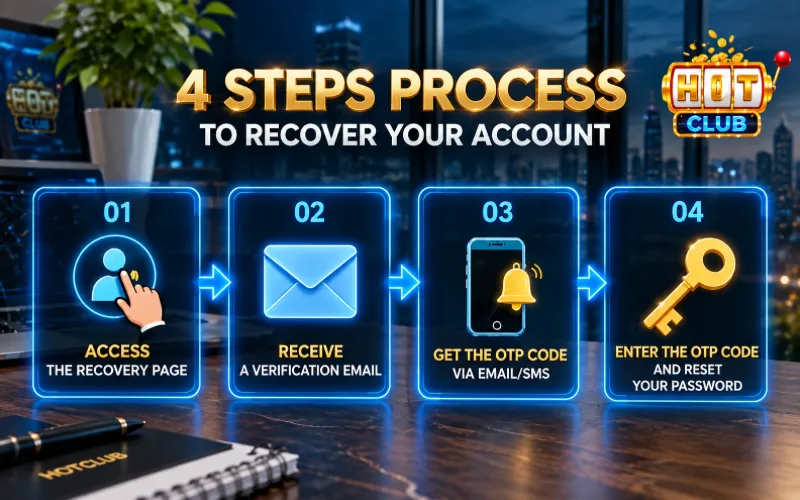
To trigger the login credential recovery process yourself, follow these steps in order:
Step 1: Trigger the recovery request
On the official login interface, select the “Forgot Password” link located directly beneath the credential input form.
Step 2: Verify identity information
Enter the exact Account Name and registered Phone Number or Primary Email that was previously verified (KYC) with the system.
Step 3: Receive and enter the OTP verification code
Click “Receive Verification Code”. The system automatically sends a 6-digit OTP code to your device. (Note: The OTP code is valid for a maximum of 60 seconds to ensure security).
Step 4: Set a new password
Enter the received OTP code, create a new high-security password, and click “Confirm Changes” to complete the process.
Legal regulations & troubleshooting when otp is not received

To comply with security regulations and prevent unauthorized account takeover attempts, the system applies strict controls for special cases:
Refusal to reissue passwords via third parties
The system does not support reissuing passwords or sending verification codes through any third party if the linked information is not primary or does not match the initial registration data.
Loss of linked phone Number/Email
In the event of a lost SIM, lost Email, or failure to receive an automatic OTP code, the manual resolution procedure is carried out as follows:
- Contact Customer Support/Technical Support: Send a direct support request through official customer service channels.
- Provide original verification data: Users must provide proof of account ownership, including:
- The most recent transaction receipt/history on the system.
- A photo of identity documents (National ID/Passport) matching the KYC data.
- Check Logs & Update: After verifying the data on Server Logs to confirm ownership, the technical team will assist in updating a new OTP receiving method.
Safety measures after changing your password
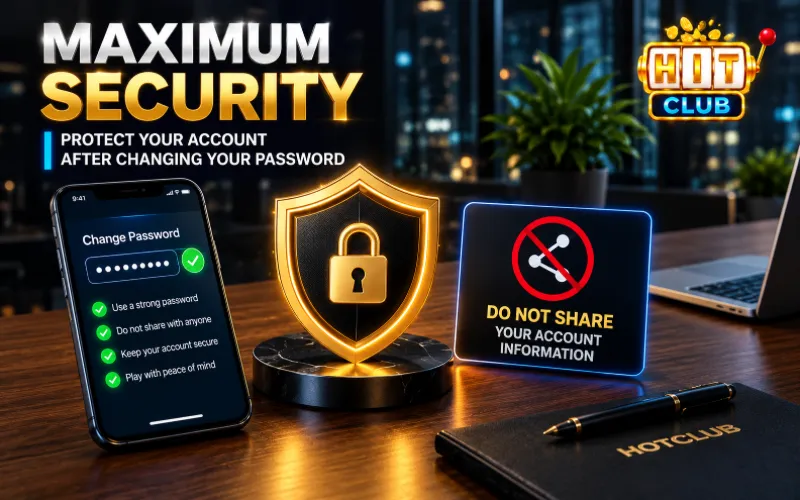
After successfully recovering your account, users should implement the following measures to enhance security:
- Strong password structure: Create a password 8 – 16 characters in length, combining uppercase letters, lowercase letters, numbers, and special characters.
- Do not reuse passwords: Avoid reusing this password for social media or other personal accounts to prevent credential stuffing and brute-force attack risks.
- Absolute OTP security: Never share your OTP verification code with anyone, including system support personnel.
Following the correct recovery process above will help you handle forgotten password issues quickly while maintaining recommended security habits—the best solution to protect your personal account safely.